Closed on Sunday AI Alternatives: Three Ways to Make It
 Closed on Sunday AI Team
Three ways to make a Closed on Sunday AI video: a dedicated choir generator, a general video model, or editing existing footage.
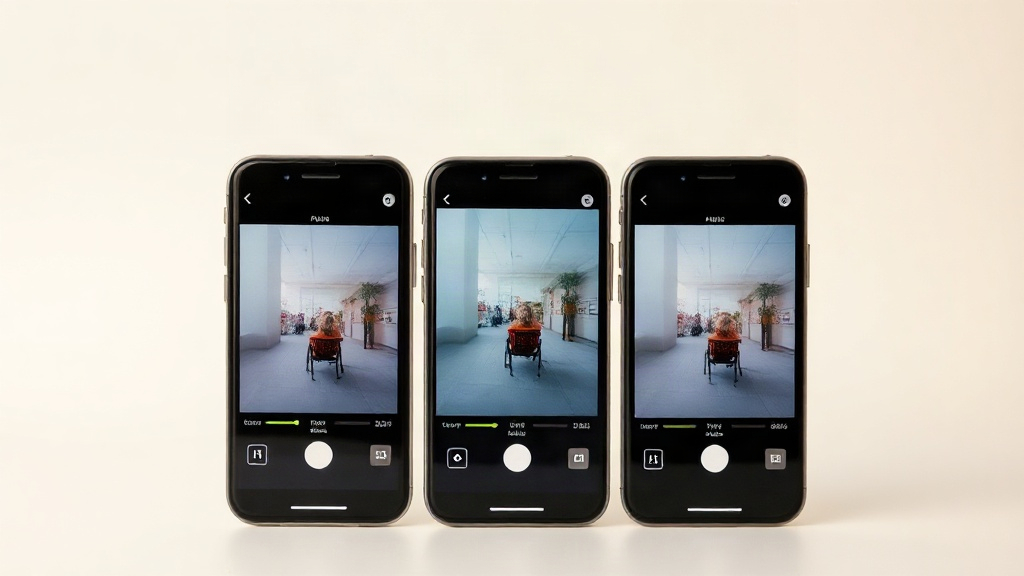
اختر جوقة أعلاه أو اكتب جوقتك. تغيير هذا يعيد بناء التوجيه المُعد مسبقًا.
ارفع فقط صورًا لك أو لحيوانك الأليف أو لأشخاص وافقوا على الظهور. لا مشاهير أو قاصرين.
أبقِ الصورة الرئيسية الثابتة والجوقة في التوجيه. صِف الموضوع والحشد والإضاءة.
480p · 12 ثانية تكلّف 15 رصيدًا. 720p · 12 ثانية تكلّف 30 رصيدًا. 1080p · 12 ثانية تكلّف 60 رصيدًا. المقاطع الأطول تُحسب نسبيًا وتُقرّب للأعلى.
هذا المقطع: 15 رصيدًا · 13 مقطعًا/شهريًا على Pro ($39.90) أو 160/سنويًا ($319).
If you want a Closed on Sunday AI video, there are three realistic routes: a dedicated choir generator built for this specific look, a general video model where you supply a reference clip and prompt, or editing footage you already have. They differ in how much control you get, how long setup takes, and what you pay per finished clip. Below is a practical comparison of all three, with the trade-offs stated plainly.
Every approach to this trend ends up in one of three buckets.
- Dedicated generator. A tool built around the choir visual: you upload one photo, pick a preset or type a choir description, and get a short clip back. The look is largely handled for you.
- General video model. A broader text-to-video or image-to-video system where you write a prompt, optionally attach a reference clip or image, and iterate until the output resembles the trend.
- Editing existing footage. You take video you already own — a group shot, a family clip, a pet video — and cut, crop, colour and time it to the audio yourself.
None of these is universally better. The right one depends on whether you care more about likeness, the choir staging, your time, or your budget.
A dedicated tool has one job: turn a photo into the choir scene people recognise from the trend. That narrowness is the point. You are not writing a paragraph of camera and lighting instructions and hoping the model interprets "choir" the same way you do.
What it is good at:
- Likeness from a single photo. One clear, front-facing image is usually the whole input. No multi-image setup, no reference video to source.
- Consistent staging. Presets keep the choir arrangement, framing and mood stable between clips, so two clips made a week apart still look like a set.
- Low setup time. The decision load is small: photo, preset or typed choir, resolution. That is the whole flow.
- Predictable output format. Our clips are 12-second silent MP4s, which suits the trend because the audio is added in the editor anyway.
What it costs, using our own pricing as the reference point:
- 480p, 12 seconds: 15 credits
- 720p, 12 seconds: 30 credits
- 1080p, 12 seconds: 60 credits
- The smallest one-time pack is $9.90 for 15 credits, which is one standard clip.
- Failed renders are refunded automatically, so a bad generation does not eat your balance.
The limitation is flexibility. A dedicated generator gives you the choir look and little else. If you want a specific camera move, an unusual location, or a scene that is not choir-adjacent, this is the wrong tool.
A general video model will attempt almost anything you describe. That is both the appeal and the problem.
The workflow usually looks like this: find or make a reference clip that matches the trend, write a prompt describing the subject, the choir, the lighting, the camera and the motion, generate, watch it miss, rewrite, generate again. Some tools accept an image plus a reference video; others are text-only and rely entirely on your description.
Where it wins:
- Range. You can push the idea somewhere new — a different setting, a different crowd, an unexpected subject — rather than reproducing the standard scene.
- Fine control, eventually. Camera movement, pacing and composition can be steered, if you are willing to iterate.
- Existing subscriptions. If you already pay for a general model, the marginal cost of trying is low.
Where it costs you:
- Setup time. Sourcing a reference clip, writing a prompt that survives the model's interpretation, and re-running generations adds up. The first good output is rarely the first output.
- Consistency drift. Two clips made from slightly different prompts often do not match well enough to sit side by side.
- Likeness is not guaranteed. A photo reference helps, but a general model may soften or reinterpret a face. Check results carefully before publishing anything with a real person in it.
If you go this route, our prompt guide covers the wording that tends to hold up, and the text-to-video breakdown explains where text-only generation struggles with this particular scene.
The third option is not generation at all. You already have footage — a group photo turned into a slow pan, a clip of friends, a video of your dog — and you cut it to the audio.
This is genuinely the fastest route. There is no render queue, no credits, no prompt. If you have a clip that already reads as a group standing together, a crop and a colour grade can carry it.
It is also the least flexible:
- You cannot add a choir that is not there. The scene is whatever you filmed.
- Framing is fixed. Cropping to a vertical aspect ratio costs you the edges of the frame.
- Likeness is exact but static. A real photo of a real person looks like that person, but it will not move like a generated scene.
- Motion is limited to what you can fake with pans, zooms and cuts.
For a quick post where the joke is the audio and the visual just needs to be recognisable, this works. For the full choir effect, it does not.
| Need | Dedicated generator | General video model | Editing existing footage | | ------------------------ | ------------------- | -------------------------- | ------------------------ | | Likeness from one photo | Strong | Variable | Exact but static | | Choir staging | Built in | Prompt-dependent | Not possible | | Setup time | Low | High | Lowest | | Cost per clip | Fixed credit tiers | Subscription or per-render | Free | | Consistency across clips | High | Low without care | High | | Creative range | Narrow | Wide | Very narrow |
A quick way to decide:
- You want the standard choir look with a specific face. Dedicated generator.
- You want the trend bent into a scene nobody has done. General model, and budget time for iteration.
- You want to post in ten minutes and the visual is secondary. Edit what you have.
Closed on Sunday AI exists because the general-model path was doing too much work for a trend that has a fairly fixed visual. People were spending their evening writing prompts to get a choir that a preset could produce in one step.
So we narrowed it. One lead per clip. Eight presets plus a typed choir if none of them fit. Output is a 12-second silent MP4 at 480p, 720p or 1080p, and you add the audio in your editor. Email delivery sends a private 7-day link and the recipient needs no account, which matters when you are sending a clip to someone who will never sign up for anything.
We are an independent tool. We are not affiliated with Ye, Sunday Service, Jesus Is King or Chick-fil-A, and we do not promise the original song — the audio is your side of the job.
The trade-off is honest: we are worse than a general model at anything that is not this scene. If you want a choir on a rooftop at sunset with a specific lens, a general model is the better instrument.
Whatever route you pick, run these checks first.
- Output length and format. A 12-second silent MP4 is standard for this trend. A tool that returns 4 seconds or watermarks the export is not equivalent.
- Resolution tiers and credit maths. Work out the cost of one finished clip at the resolution you actually want to post, not the cheapest tier.
- Refund policy on failed renders. Generation fails. Find out whether a failure costs you credits before you buy a pack.
- What the input requires. One photo is very different from a photo plus a reference video plus a written prompt.
- Rights and likeness. Only use photos of people who have agreed to it, and read the tool's terms on commercial use if you are posting for a brand.
- Delivery. If you are sending the clip to someone else, check whether they need an account to open it.
If you are still weighing options, our alternatives overview and the free-tier breakdown cover the practical side of pricing and access.
No. Our clips are silent. You add whatever audio you have the rights to use in your editor. We do not supply or promise the original track.
Yes, and it is the better choice if you want a scene that departs from the standard choir look. Expect more setup time and less consistency between clips.
12 seconds, delivered as a silent MP4 at 480p, 720p or 1080p depending on the credit tier you choose.
Failed renders are refunded automatically, so the credits return to your balance without you having to ask.
Yes. Email delivery sends a private 7-day link, and the recipient does not need to sign up to open it.
For the dedicated route, yes — one clear, front-facing photo per clip. Group photos work if faces are visible and not too small in frame.