Closed on Sunday AI With Your Cat or Dog: What Works
 Closed on Sunday AI Team
How to put a cat or dog in the middle of a Closed on Sunday AI choir: the photo, the pose, the best choir pairings, and the limits.
Escolha um coral acima ou digite o seu. Alterar isso reconstrói o prompt predefinido.
Envie apenas fotos de você, do seu animal de estimação ou de pessoas que concordaram em aparecer. Sem celebridades ou menores de idade.
Mantenha o líder imóvel e o coral no prompt. Descreva o sujeito, a multidão e a luz.
480p · 12s custa 15 créditos. 720p · 12s custa 30 créditos. 1080p · 12s custa 60 créditos. Clipes mais longos são proporcionais e arredondados para cima.
Este clipe: 15 créditos · 13 clipes/mês no Pro ($39.90) ou 160/ano ($319).
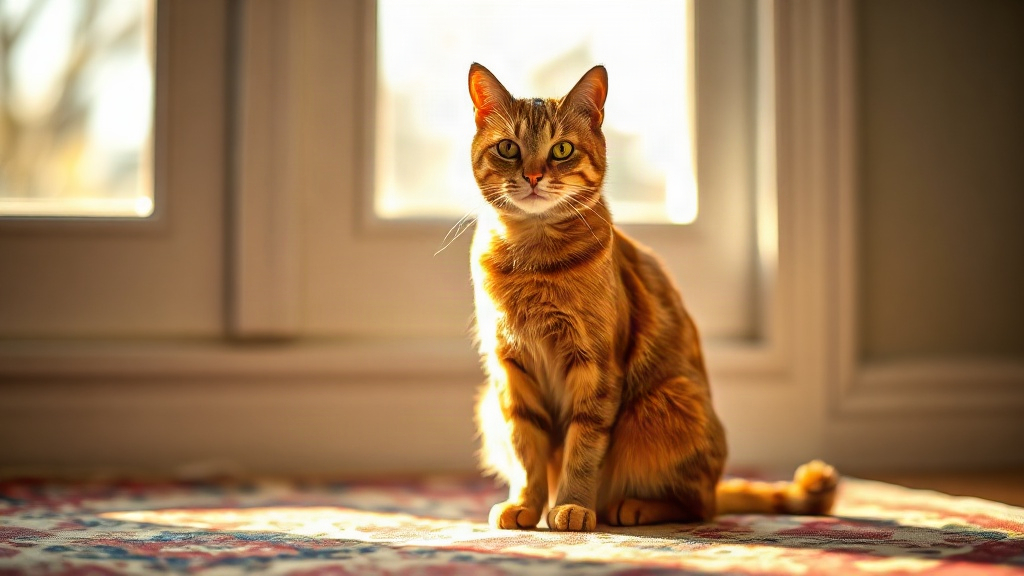
Pets work in this format because a cat or dog in a choir is instantly readable and slightly absurd, and the model handles a single animal well when the photo is clear. The reliable approach is one animal, eyes visible, sitting or standing upright, paired with a choir preset that leaves room for a small figure. Everything else — fur detail, markings, exact pose — is where results get unpredictable, and it helps to know that before you spend credits.
The Closed on Sunday AI trend takes a photo and places the subject in a choir-like scene built around the original music video's visual language. The original video was released on 28 November 2019, and the AI remake trend took off around 14 October 2026. Most of the clips you see are people, which is exactly why a pet stands out.
A few practical reasons pets suit the format:
- One clear subject. A single animal against a plain background gives the model an unambiguous thing to place. Crowded photos with three dogs and a sofa confuse it.
- Strong silhouette. Cats and dogs read as shapes even at small scale, which matters when the figure is one of several in a choir arrangement.
- The tone already fits. A solemn choir with a cat in it is funny without anyone adding a joke. You do not need to over-direct the scene.
- Short clips suit animals. Our clips are 12 seconds and silent. You are not asking the animal to perform for a minute; you are asking for one readable image in motion.
If you want the broader context of the trend before starting, read what the Closed on Sunday AI trend actually is.
The photo decides most of the outcome. These are the conditions that hold up:
- One animal only. No second pet, no person holding it, no other animal in frame. If you have a two-pet photo you love, crop one out.
- Eyes visible and facing the camera. Eyes are the anchor the model uses to orient a face. Sunglasses, heavy shadow, or a head turned away usually produce a soft or invented face.
- Upright or sitting. A pet sitting squarely, or standing with the head up, gives the model a vertical shape to work with. A pet lying flat on a rug is a horizontal blob and tends to come back distorted.
- Even light, no strong backlight. A window behind the animal turns it into a silhouette and the model guesses at the fur.
- Plain-ish background. A busy background gives the model more to misread. A wall, a door, a plain floor is fine.
- Sharp, not blurry. Phone photos are fine if the animal is in focus. Motion blur on the face is the most common reason a render comes back wrong.
For a fuller checklist that applies to any subject, see best photos for Closed on Sunday AI. The pet-specific version is simply stricter: you have less margin because fur and markings are already the hard part.
This is the section to read before you upload. The model does not preserve your photo's pose exactly. It reads the subject and rebuilds it inside the choir scene, and it will make choices you did not ask for.
What tends to happen:
- Cats get sat down. A cat photographed mid-stretch or mid-jump usually comes back sitting upright with front paws together. That is often fine, and sometimes better than the original.
- Dogs get stood up. A dog photographed lying down frequently returns standing, because a standing figure fits the choir row better.
- Limbs get added or merged. Extra legs, a tail in the wrong place, or a paw that blends into a robe are common. At 12 seconds and small scale these are easy to miss on a phone screen and obvious on a laptop.
- Head angle shifts. If your pet was looking slightly away, the render may straighten the head to face forward. Usually an improvement; occasionally it changes the expression entirely.
The practical rule: choose a photo whose pose you would accept being changed. If the pose is the whole point of the photo — the exact head tilt, the specific sprawl — this format will not preserve it. If you want the animal recognisable and the scene right, you will usually get that.
We offer eight presets plus a typed choir, so you can name the choir you want in text. For pets, three pairings do most of the work:
- Cat choir with a cat. The most coherent result. The scale matches, the scene reads as intentional, and the animal does not look dropped in. A dog in a cat choir also works and is funnier, but expect the model to make the dog slightly smaller than you intended.
- Grandma choir with a dog. The contrast does the work: a large solemn group and one dog. This pairing tends to hold the animal's shape well because the surrounding figures are clearly human and the model does not blur the two.
- Skeleton choir with either. Skeletons give the model less to confuse with fur, and the result is usually the cleanest silhouette of the three. Good choice if your first attempt came back muddy.
Avoid pairing a pet with a choir preset that is already visually busy at small scale. The more detail in the background figures, the more likely your animal's markings get simplified. If you want to type a custom choir instead of using a preset, the prompt guide covers how to phrase it.
Be realistic about this. The clip will read as your pet, and it will not be a portrait.
- Overall shape and colour usually hold. A black cat comes back black. A golden dog comes back golden.
- Fine markings often drift. Patches, spots, sock markings, and face masks shift position or soften. A distinctive blaze on the forehead may survive one render and vanish the next.
- Fur texture gets simplified. Long fur may read as a solid mass. Short fur holds better.
- Eye colour is unreliable. Do not build the clip around your pet's exact eye colour.
- Collar and tag details usually disappear or become an undefined shape at the neck.
If exact markings matter to you, generate two or three versions and pick the closest. Each standard clip is 480p at 12 seconds for 15 credits, 720p at 12 seconds for 30 credits, and 1080p at 12 seconds for 60 credits. The smallest one-time pack is $9.90 for 15 credits, so a first test costs one clip. Failed renders are refunded automatically, which makes experimenting less risky than it sounds. For a full cost breakdown, see whether Closed on Sunday AI is free.
To be clear about what this is: the output is generated footage. No animal is filmed, handled, dressed, or placed in a choir. You upload a photo you already have, and the tool generates a silent 12-second MP4. Nothing in the process involves a real animal beyond the photo.
Two practical points follow:
- You are responsible for the photo you upload. Use a photo of your own pet, or one you have permission to use.
- The result is not a documentary record. It is a generated clip. Do not present it as real footage of your animal in a real setting.
Closed on Sunday AI is an independent tool. It is not affiliated with Ye, Sunday Service, Jesus Is King, or Chick-fil-A.
If every photo you have is blurry, shadowed, or shows the animal half-turned, you have two options.
Option one: describe the scene instead. Use text-to-video and describe the animal and the choir in words. You lose the likeness — the result will be a generic cat or dog, not yours — but you get a clean, coherent clip. This is the better choice when the photo is genuinely unusable. The text-to-video guide explains what the model can and cannot hold from a written description.
Option two: take a new photo. Five minutes with a phone, a plain wall, and the animal sitting at eye level will beat anything you can write. Get the eyes, get the light in front of the animal, and crop to one pet.
If you are still working out the mechanics of the format itself, how to make a Closed on Sunday AI video walks through the full flow. And if you want to send the finished clip to someone, email delivery sends a private 7-day link and the recipient needs no account.
Technically you can upload a photo with two animals, but the results are unreliable. The model tends to merge them, drop one, or produce a figure with the wrong number of legs. One animal per clip is the rule that holds. If you want both pets, generate two clips.
The model rebuilds the pose to fit the choir scene rather than copying your photo exactly. A standing figure fits a choir row better, so a lying-down dog often returns upright. Choose a photo whose pose you would accept being changed.
Sometimes, not reliably. Overall colour and shape usually hold; patches, spots, and face markings often shift or soften between renders. Generate two or three versions and pick the closest if the markings matter.
Clips are 12 seconds and silent MP4s. There is no audio track, so if you want sound you add it yourself in whatever editor you use.
Start at 480p (15 credits) to check the pose and likeness, then re-render at 720p (30 credits) or 1080p (60 credits) once you are happy. There is no point paying for 1080p on a render where the model invented a fifth leg.
No. Email delivery sends a private 7-day link, and the recipient does not need an account to open it.